Getting Started
This guide gets you from PDF to converted file in under 2 minutes.
Table of Contents
- Install
- Get PDF from Enpara (Screenshots)
- Converting Your First Statement
- File Paths on Windows, macOS, Linux
- Before and After
- Next Steps
Install
- Download a release binary from GitHub Releases.
- Or build from source:
git clone https://github.com/chillmatin/enpara-transactions-parser.git
cd enpara-transactions-parser
make build
cd bin
You will get two binaries:
- enpara-cli
- enpara-api
info
Use enpara-cli for local command-line conversion. Use enpara-api for programmatic integration.
Get PDF from Enpara (Screenshots)
Use this Type1 retrieval flow to request and download the statement PDF.
Type1 steps (in filename order)
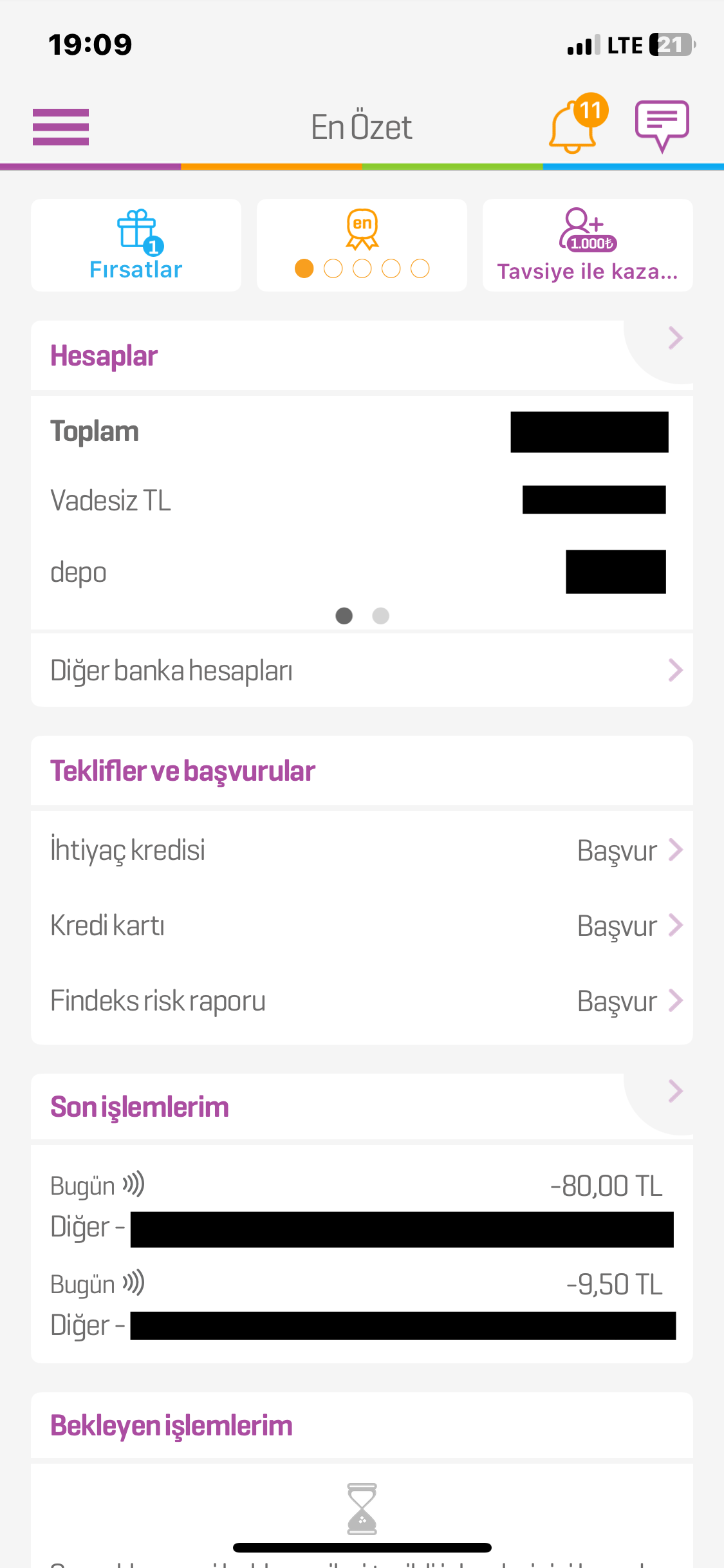
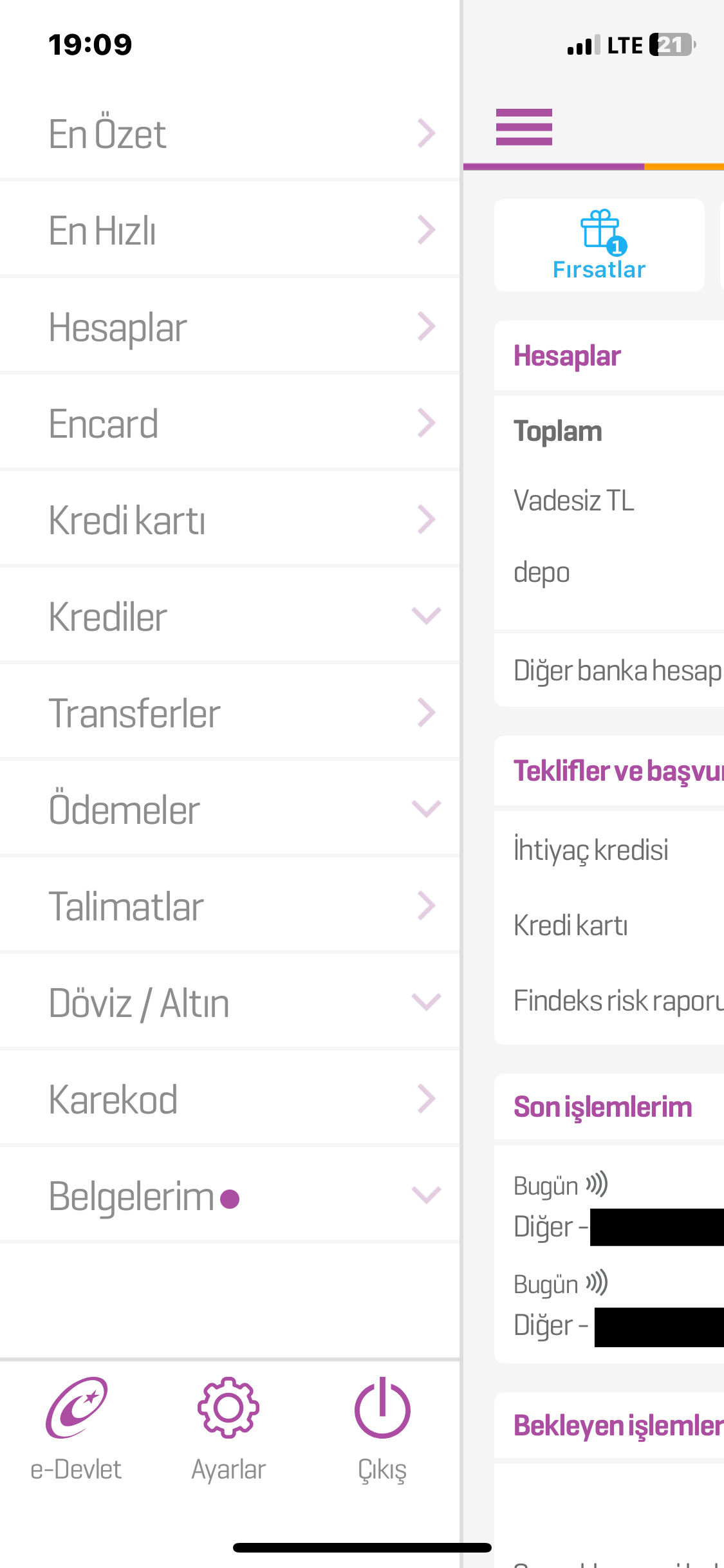
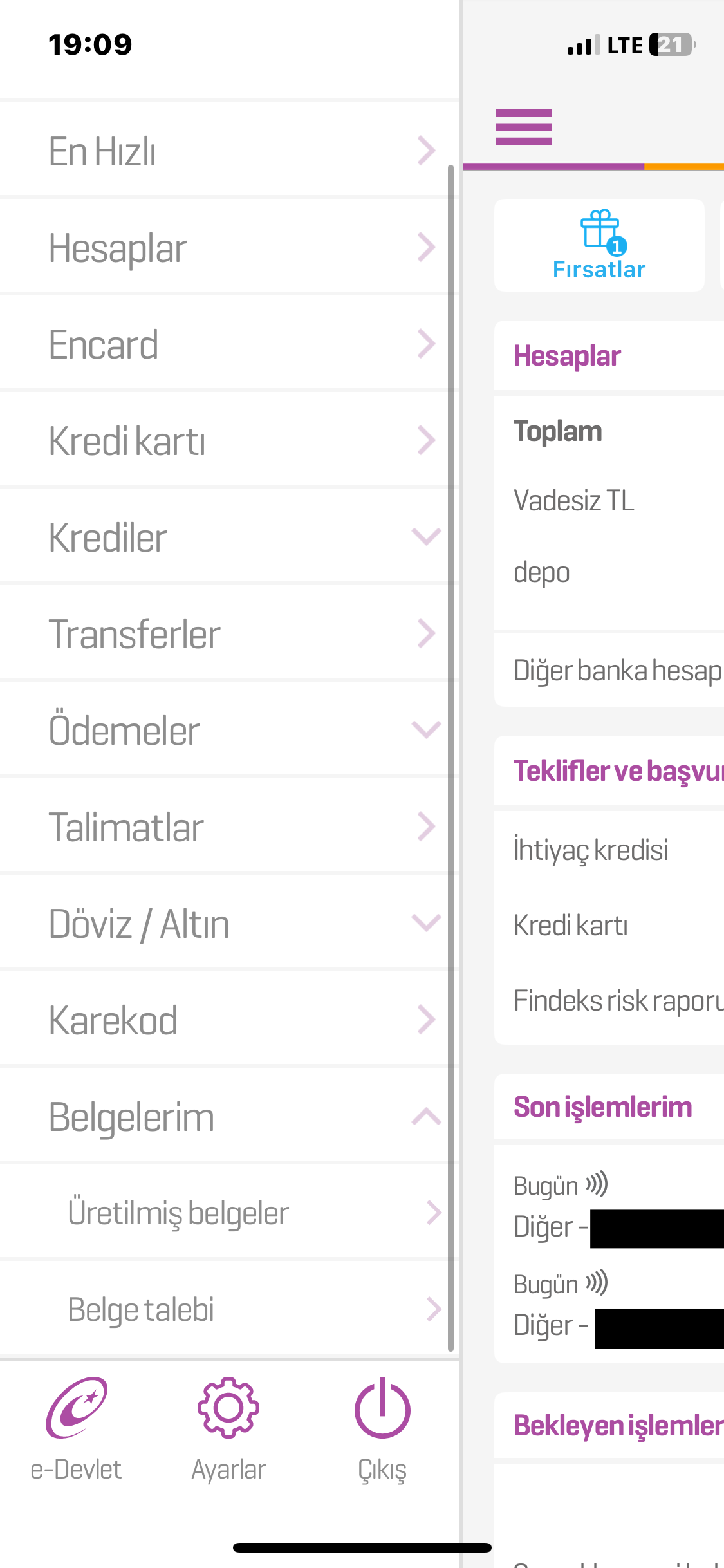
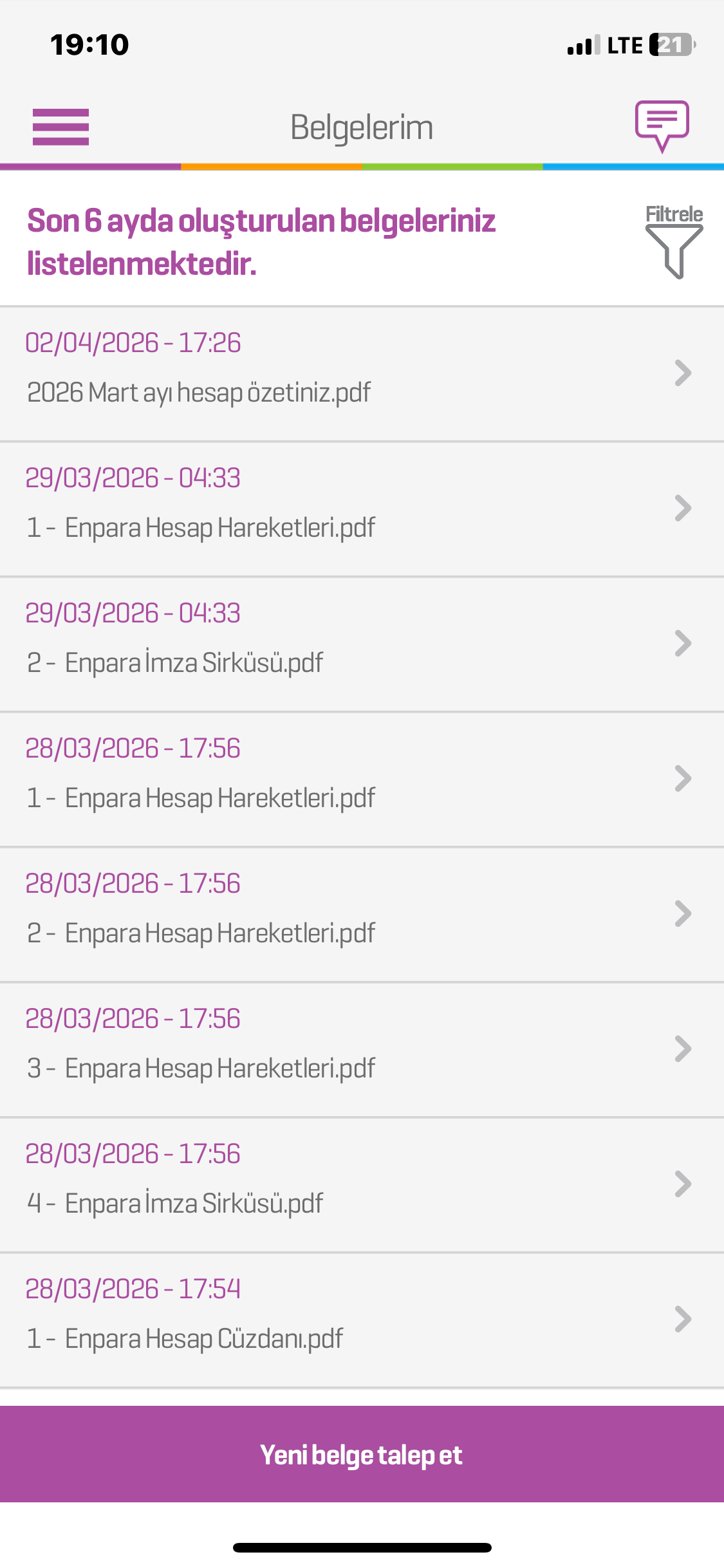
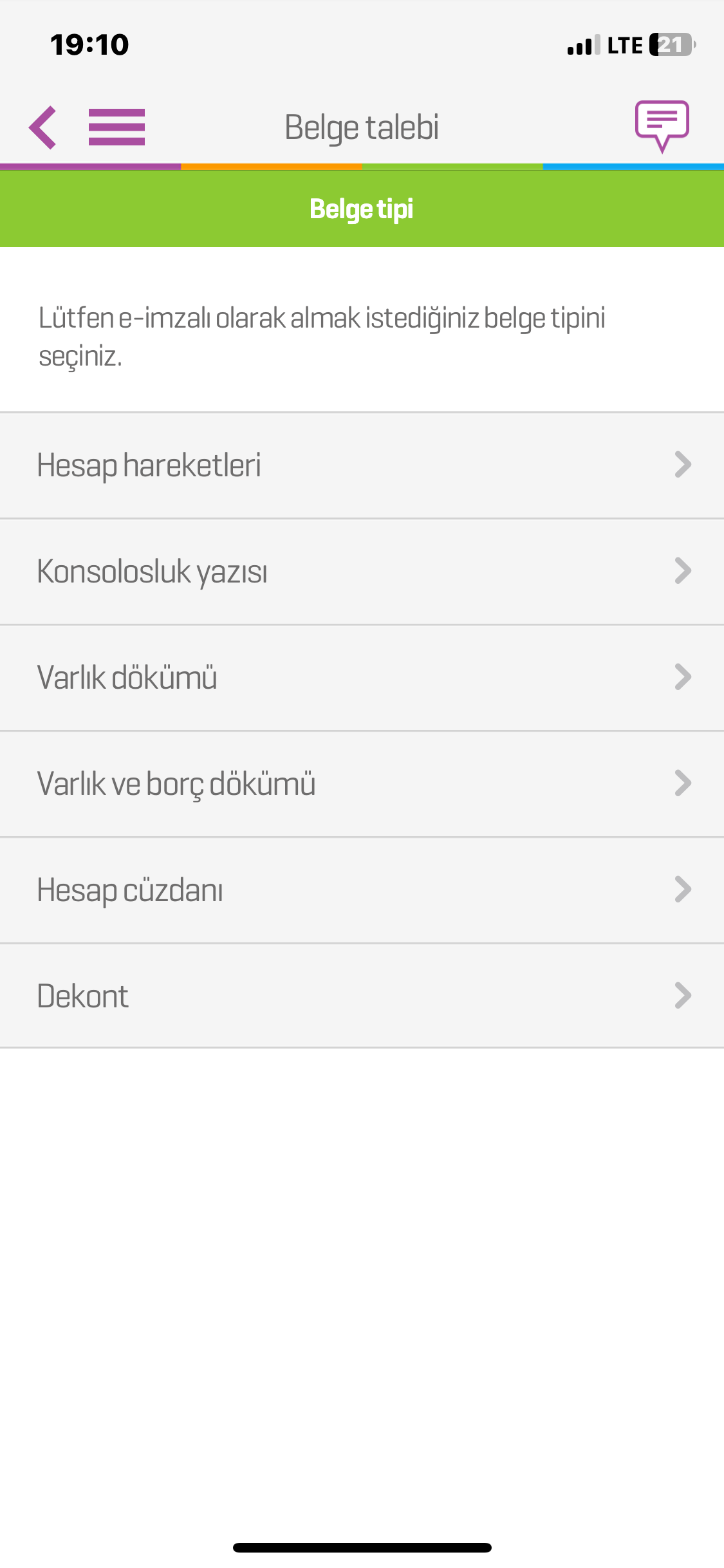
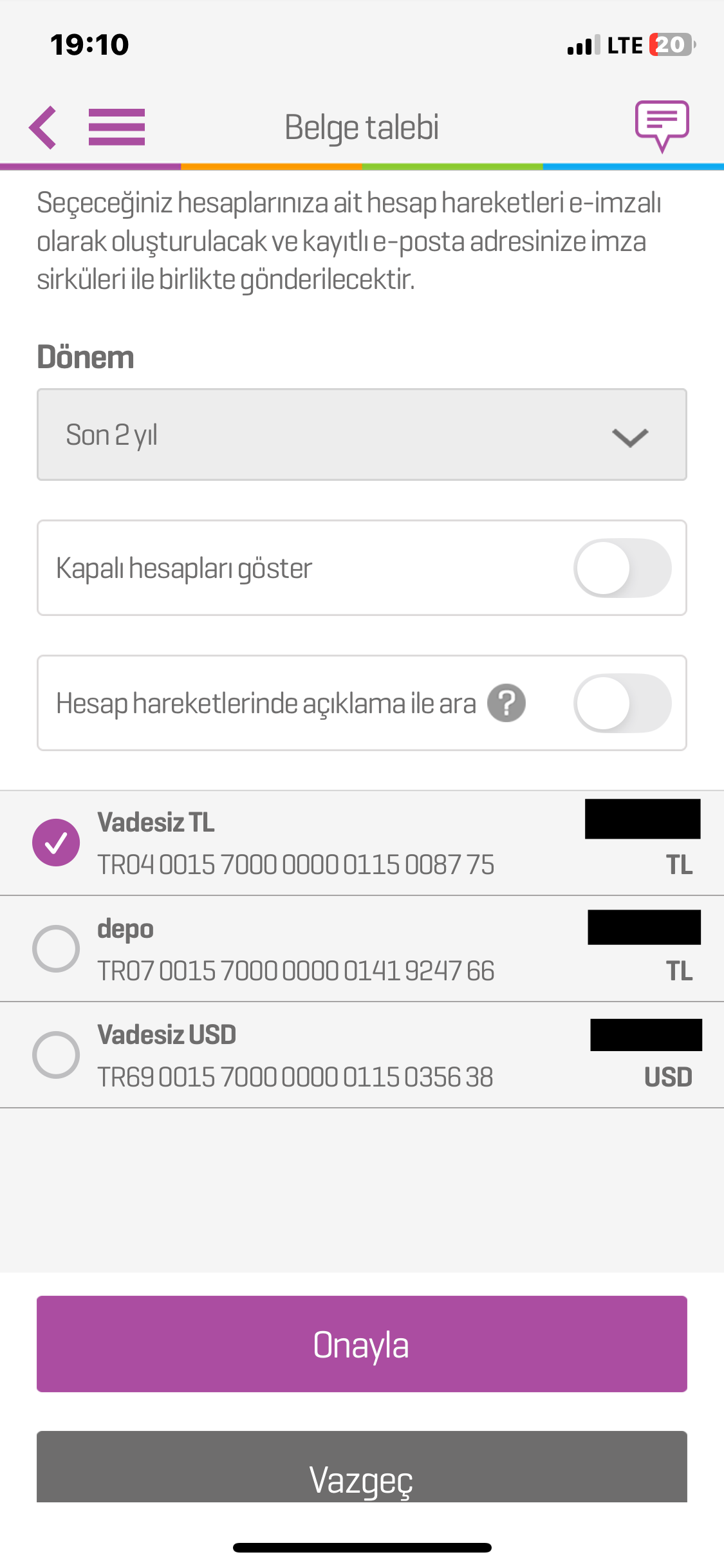
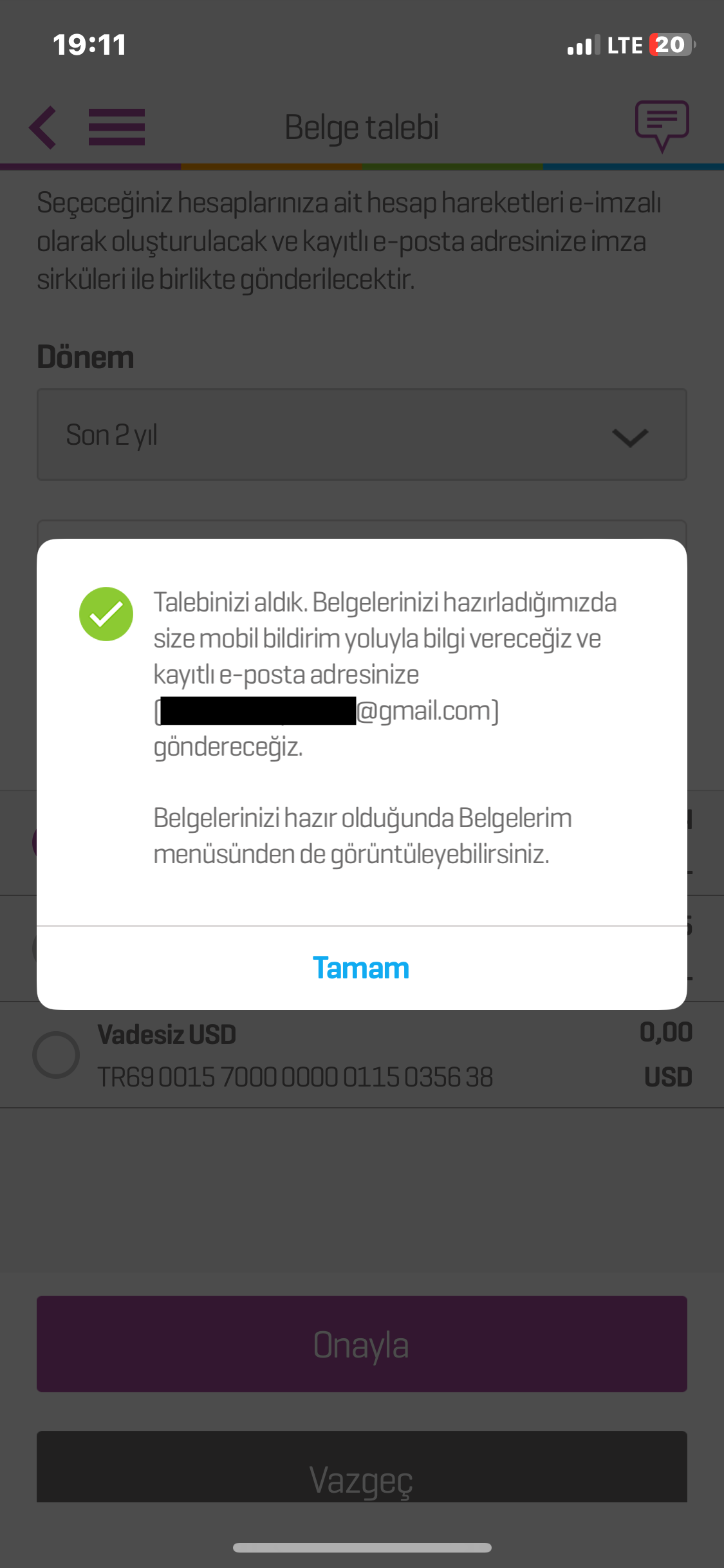


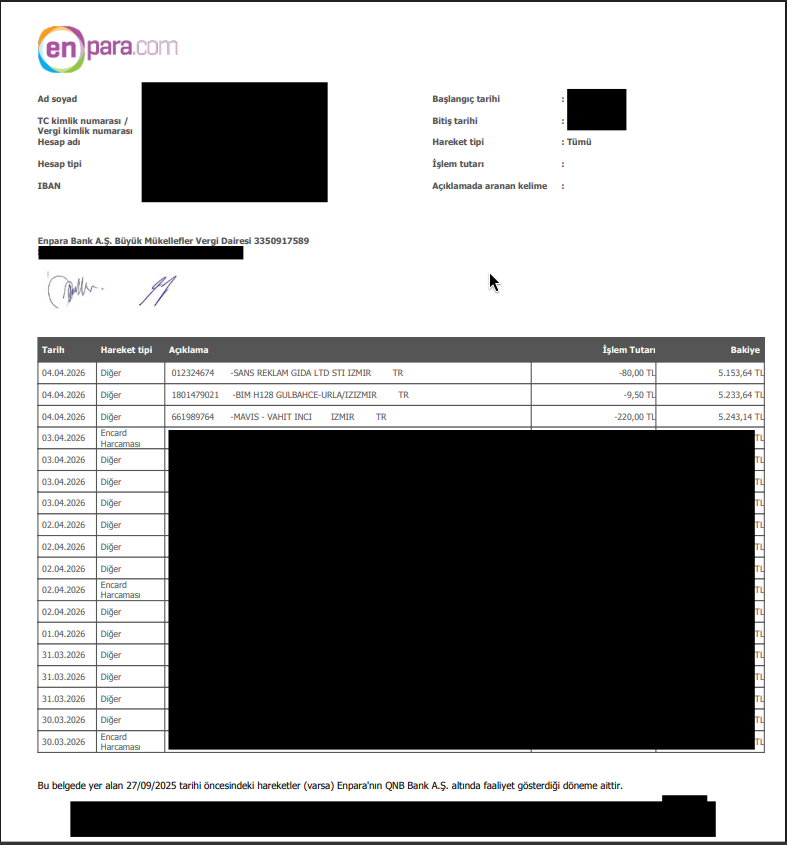
tip
If you receive more than one PDF, pick the one named similar to Enpara Hesap Hareketleri.pdf.
Type2 steps (in filename order)

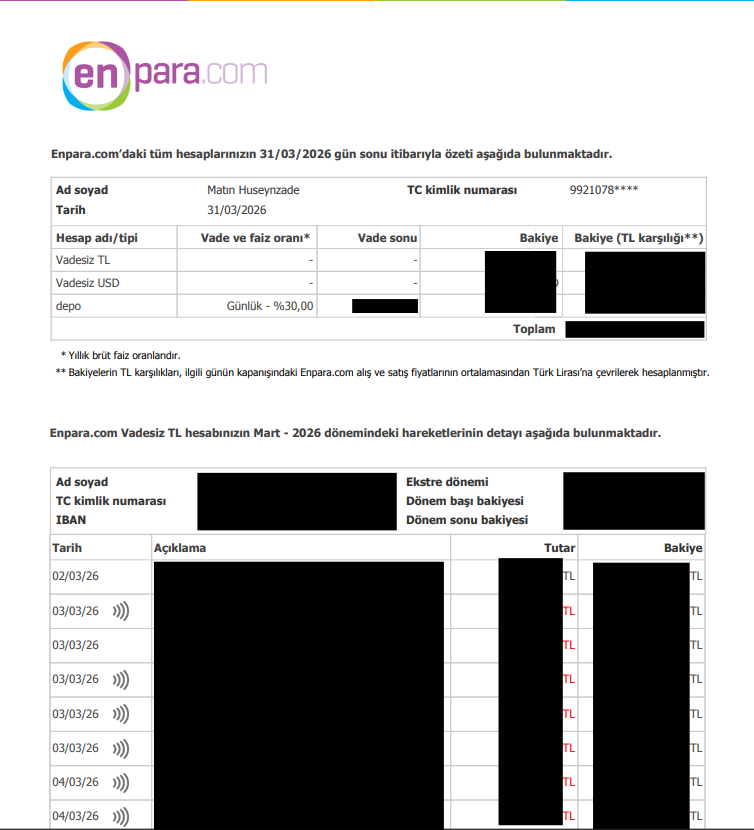
Converting Your First Statement
- Put your PDF in your current working folder.
- Run:
./enpara-cli "1- Enpara Hesap Hareketleri.pdf"
- Open the generated CSV file.
That is it. Your transactions are now in a sortable, importable format.
File Paths on Windows, macOS, Linux
Use quotes around paths that include spaces.
Windows (PowerShell)
.\enpara-cli.exe "C:\Users\Alice\Downloads\1- Enpara Hesap Hareketleri.pdf" --format csv
macOS
./enpara-cli "/Users/alice/Downloads/1- Enpara Hesap Hareketleri.pdf" --format csv
Linux
./enpara-cli "/home/alice/Downloads/1- Enpara Hesap Hareketleri.pdf" --format csv
Before and After
Before (inside PDF)
You usually see rows like this in a statement page:
28.03.2026 Diger 000000004228140-DED COFFEE IZMIR TR -52,50 TL 2.357,27 TL
29.03.2026 Gelen Transfer Maasi Odemesi 5.000,00 TL 7.357,27 TL
After (CSV output)
Tarih;Hareket tipi;Aciklama;NFC;Islem Tutari;Bakiye
28.03.2026;Diger;DED COFFEE;0;-52,50;2.357,27
29.03.2026;Gelen Transfer;Maasi Odemesi;0;5.000,00;7.357,27